Missing character? Problems logging into your account.
Missing character? How do I get back to my account?
First, check the server.
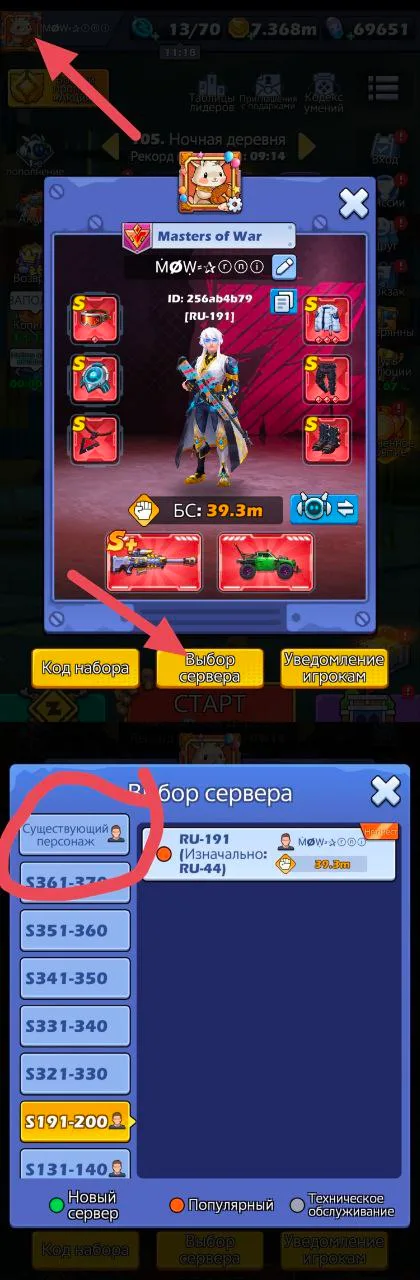
Click "existing character".
If your hero is not there, go to
Settings - user center - change account.
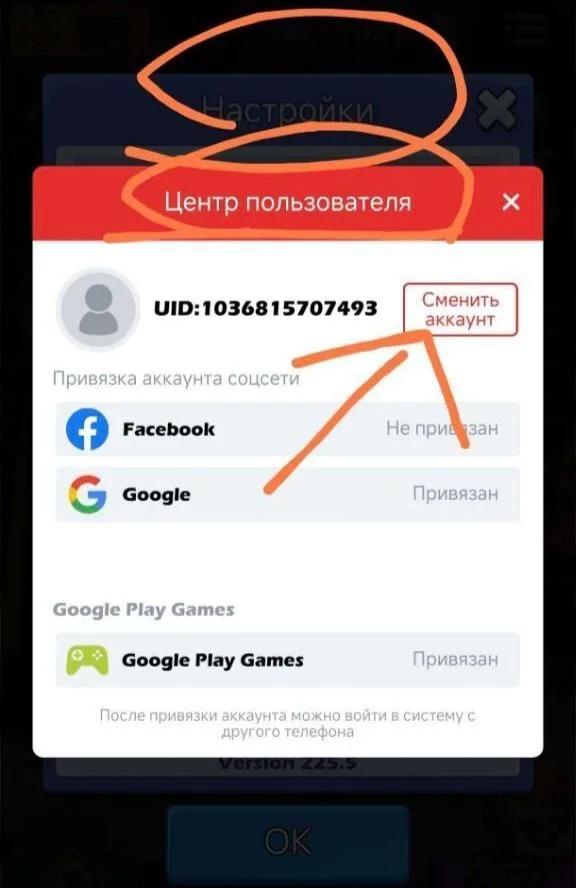
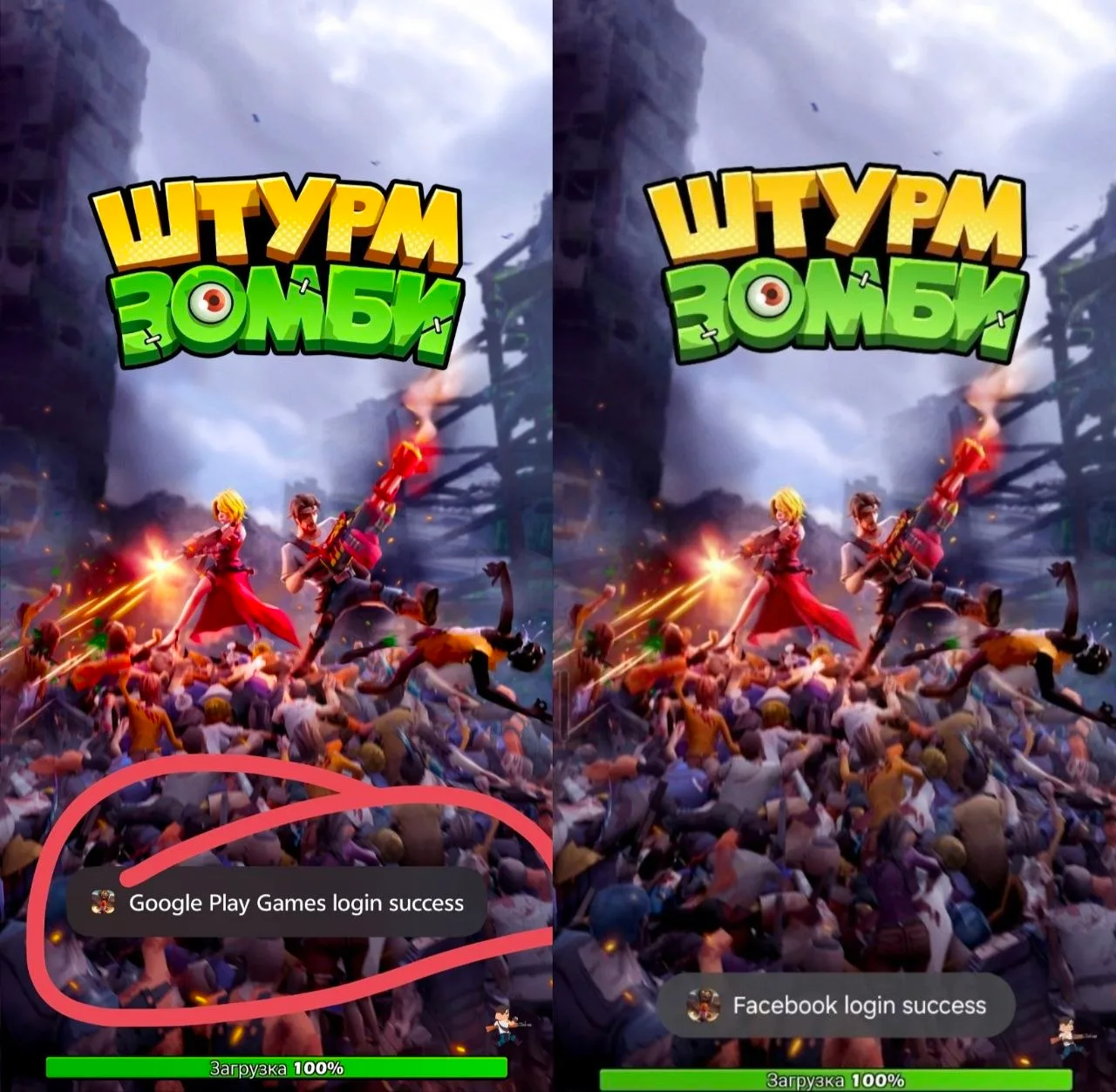
Next, select the method through which you entered the game. (Google Play, Apple, Facebook, VK)
When you enter the game, it shows you how to log in.
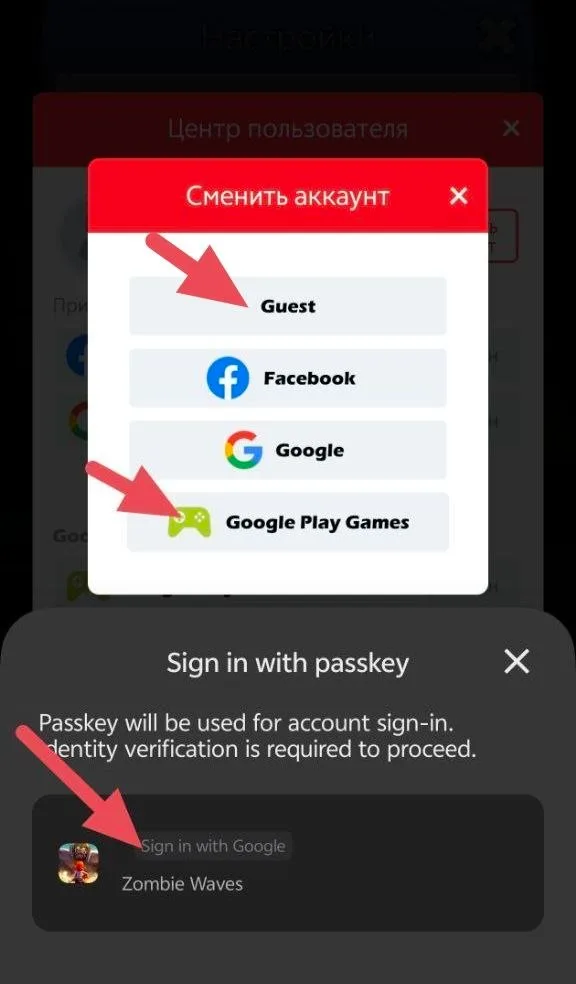
Choose your account
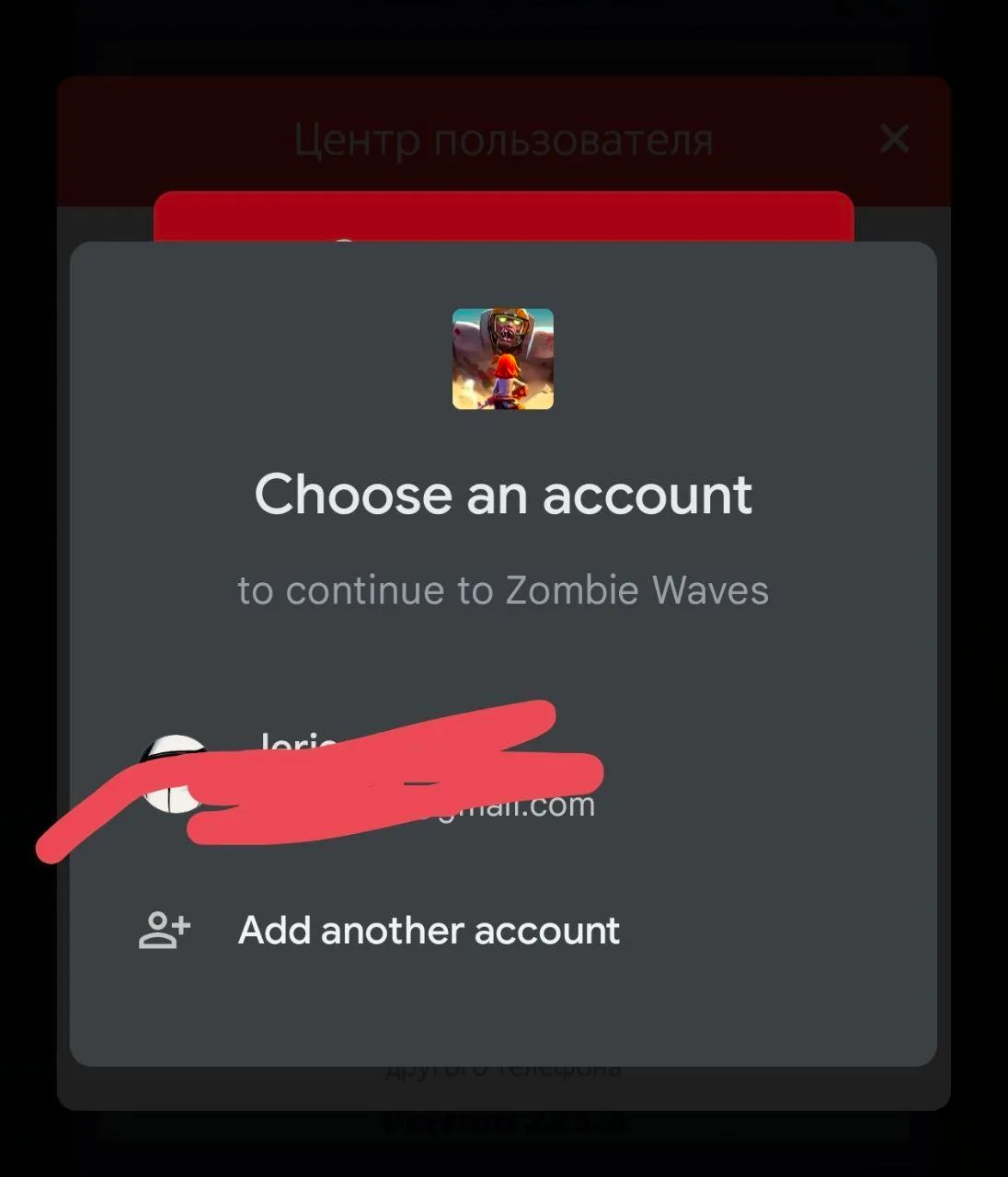
In rare cases, the game logs in through a guest account. The guest account is linked to your phone.
To get back, select “Guest” when choosing a login.
Sometimes, after reinstalling the game, the player ends up not on the ru server, but on the zw server.
Check your Google account region settings. Turn off VPN. Reinstall the game.
Always download where you downloaded before!!
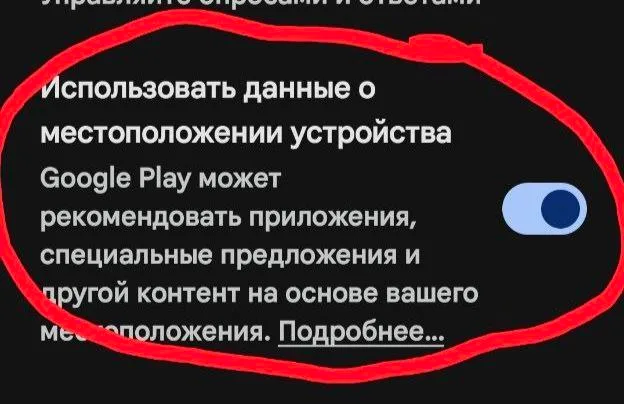
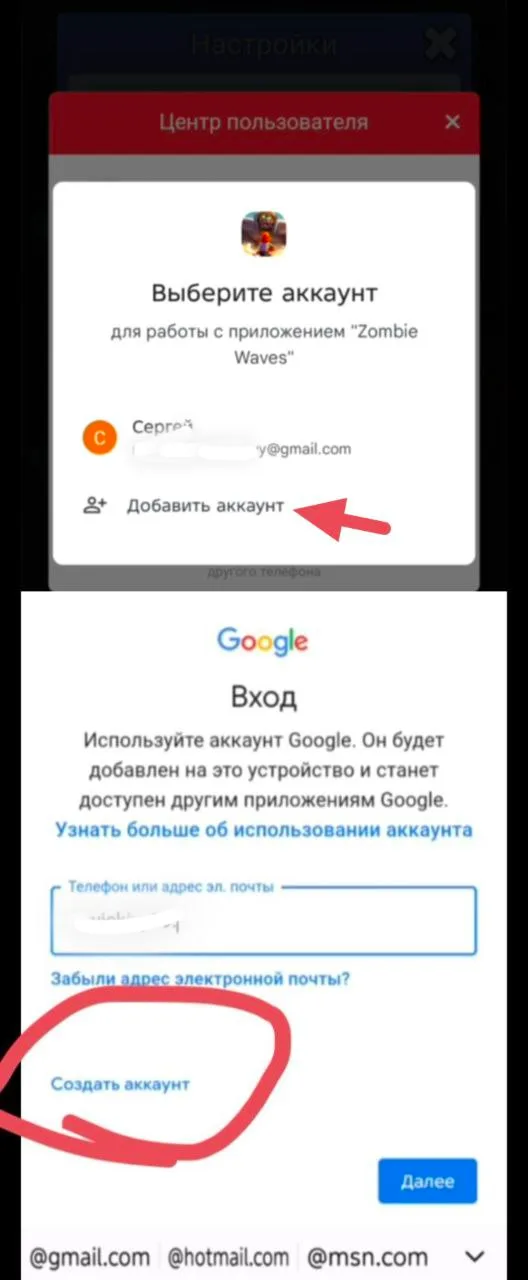
In even rarer cases, it happens that you are stuck on a guest account and the game does not allow you to link your Google account.
In this case, you need to go to
Settings - user center - change account and then click Add account - create a new account
And create a new Google account directly from the game. Your character will already become attached to him.
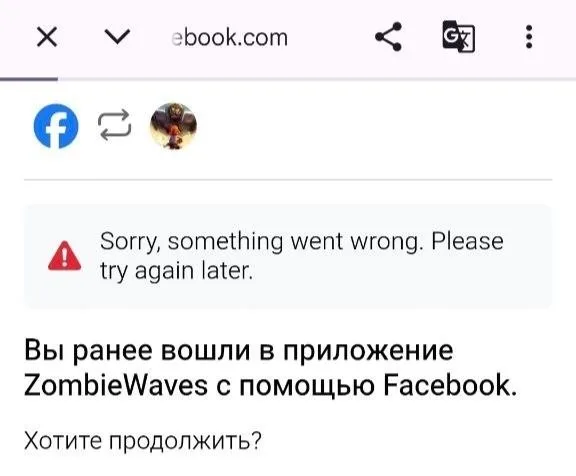
If you logged in via Facebook and after a while you can’t get into your account.
When you select an account, Facebook sends you to the Facebook page.
This means that you most likely logged out of your account and changed your password. Or you have several accounts.In this case, you need to download the Facebook application. Log in there under the account that was linked in the game.
Next, log into the game as usual. Choose Facebook, the game will link your account from the Facebook application.
.
.
.
If none of this helps, then either you are not logging into your Google account, or you are downloading the game from a different place than where you downloaded it before.
Always download where you downloaded before!!
Game download links:
Google play game:
RU:
https://play.google.com/store/apps/details?id=com.ddup.zombiewaves.zw.ru
ZW:
https://play.google.com/store/apps/details?id=com.ddup.zombiewaves.zw
Rustor:
https://www.rustore.ru/catalog/app/com.ddup.zombiewaves.zw.rustore
Samsung Galaxy Store: https://apps.samsung.com/appquery/appDetail.as?appId=com.ddup.zombiewaves.zw.flexion
OneStore: https://onesto.re/com.ddup.zombiewaves.zw.flexion
Huawei AppGallery: https://appgallery.cloud.huawei.com/marketshare/app/C111840159
Xiaomi GetApps (App Mall): https://global.app.mi.com/details?id=com.ddup.zombiewaves.zw.flexion
App store:
https://apps.apple.com/us/app/zombie-waves-shooting-game/id6443760593